How I built a $10,000 3D website with free AI tools in 10 minutes
- 3D websites
- free AI tools
- tutorial
- AI web design
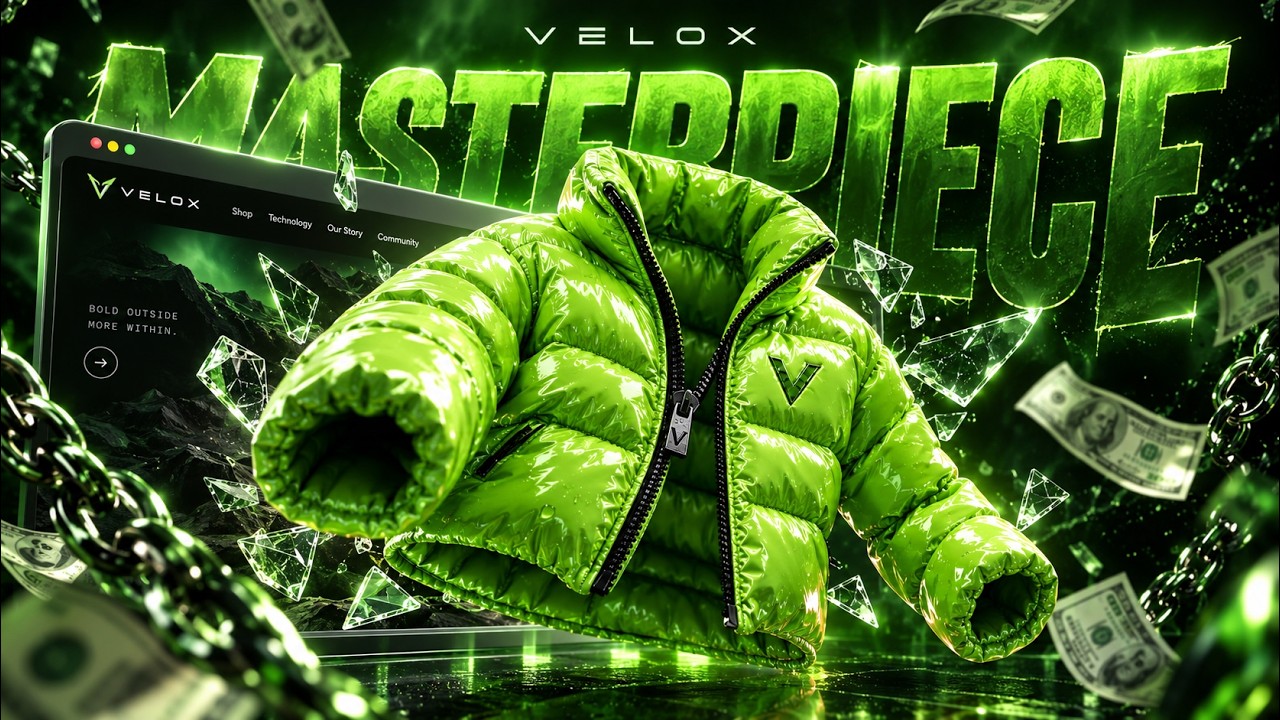
This is the full breakdown of a 3D award-style e-commerce website, the kind that sells for thousands of dollars and would have taken a team of engineers two to three months a few years ago. I built it in one sitting with AI, and every choice below is drawn from that actual build. The video version is on my channel, this is the written version with the stack, the prompts and the one step that costs money.
The stack, and what is actually free
- Backgrounds and product images: Nano Banana Pro if you want free, or ChatGPT image on the Pro plan.
- Image to video: Veo 3.1, run inside Google Flow.
- Image to 3D: Meshy. Paid, about $7 (₹600) for the cheapest plan, and there is no free alternative that works.
- Coding: Google AI Studio for the free path, Claude Code as the daily driver, Grok in the terminal when limits run out.
Step 1: batch every image with one prompt
Open Google Flow, start a project, and paste a single long JSON prompt into agent mode. Mine is around a hundred lines and it classifies and generates all ten images the site needs in one shot. Run two or three Flow projects in parallel and the whole image set finishes while you set up the next step. Download the product shots in 16:9, those are the ones that become 3D models.
Step 2: image to 3D in Meshy
Meshy has a bulk image-to-3D mode, which is why it wins over one-off converters. Upload the product images, pick a pose: A-pose if the model has arms at an angle, T-pose is the scarecrow glitch pose you see when a game character breaks. This site uses A-pose. Set mesh resolution to ultra 4K, then run the texture pass at 8K. The texture jump costs a few tokens more and it is what makes the model read premium instead of flat, light bounces better off it. Download everything as GLB, the format the web wants.
Step 3: looping ambient backgrounds with Veo 3.1
A 3D site dies with a static background, so each background becomes a short looping video. In Flow, set the first frame and the last frame to the same image, otherwise the loop visibly snaps. Use 16:9, frames mode, and Veo 3.1 fast: light is cheaper but lazy, fast is the sweet spot of crisp and reasonable. The prompt wording is what separates a seamless loop from a mess. The keywords that matter: frozen in time, ambient motion, flawless loop. Spell out that nothing new may enter the frame and everything already in it, the drips, the shards, the rotating diamonds, moves slowly and ambiently only. I say the full prompts out loud in the video so you can copy the exact phrasing.
Step 4: one-shot the code
Drop every asset into your project folder and give your coding agent one rebuild prompt plus the instruction to use the attached assets, not whatever it finds by cloning references. I hit my Claude limits mid-build and finished the same way with Grok from the terminal, same one-shot prompt, same assets. The output is not identical to my original, different inputs, but it is a site you can ship and charge for.
What you end up with
A storefront with a 360 product view inside the shop page itself, a jacket you can spin with your phone using gyroscope movement, and full mobile responsiveness. That combination is a portfolio piece that closes clients on sight, because almost nobody else is shipping it.
Have it built for you, or learn the whole game
If you want this for your business but not the DIY route, that is exactly what RapidXAI does, book a call. If you want to build and sell these yourself, I teach the full process, outreach to sales, inside the Educatex community with live weekly calls.
Frequently asked questions
- Is there a free image-to-3D tool?
- No. I searched for close to half an hour and there is no free image-to-3D or text-to-3D generator that holds up. Meshy is the cheapest reliable option and its lowest plan costs about $7 (₹600). That is the one unavoidable paid step.
- Can I build this with zero coding?
- Yes. The code step is a one-shot rebuild prompt you paste into an agentic coding tool with your assets. Google AI Studio is the free path, Claude Code is what I use, and when limits hit I switched to Grok in the terminal and got the same result.
- What file format should the 3D model be in for the web?
- GLB. It is the binary form of glTF and the most suitable format for websites: compact, one file, loads fast, and every browser 3D library speaks it.
- How long does the whole build take?
- Ten to twenty minutes of actual work once your assets are generated. The image batch, 3D conversion and background videos run mostly on their own while you queue the next one.
Want this working in your business?
Fifteen minutes. Your numbers, our honest read on what AI returns for you. No deck, no pressure.